Background and goals
I organized my home network as a systems and networking learning environment: connecting devices, running Linux services, accessing systems remotely, and keeping recoverable backups.
The project brings together common IT support and infrastructure tasks: connectivity troubleshooting, DNS setup, access management, storage, and service checks. It also provides the network foundation for my home SOC.
Topology
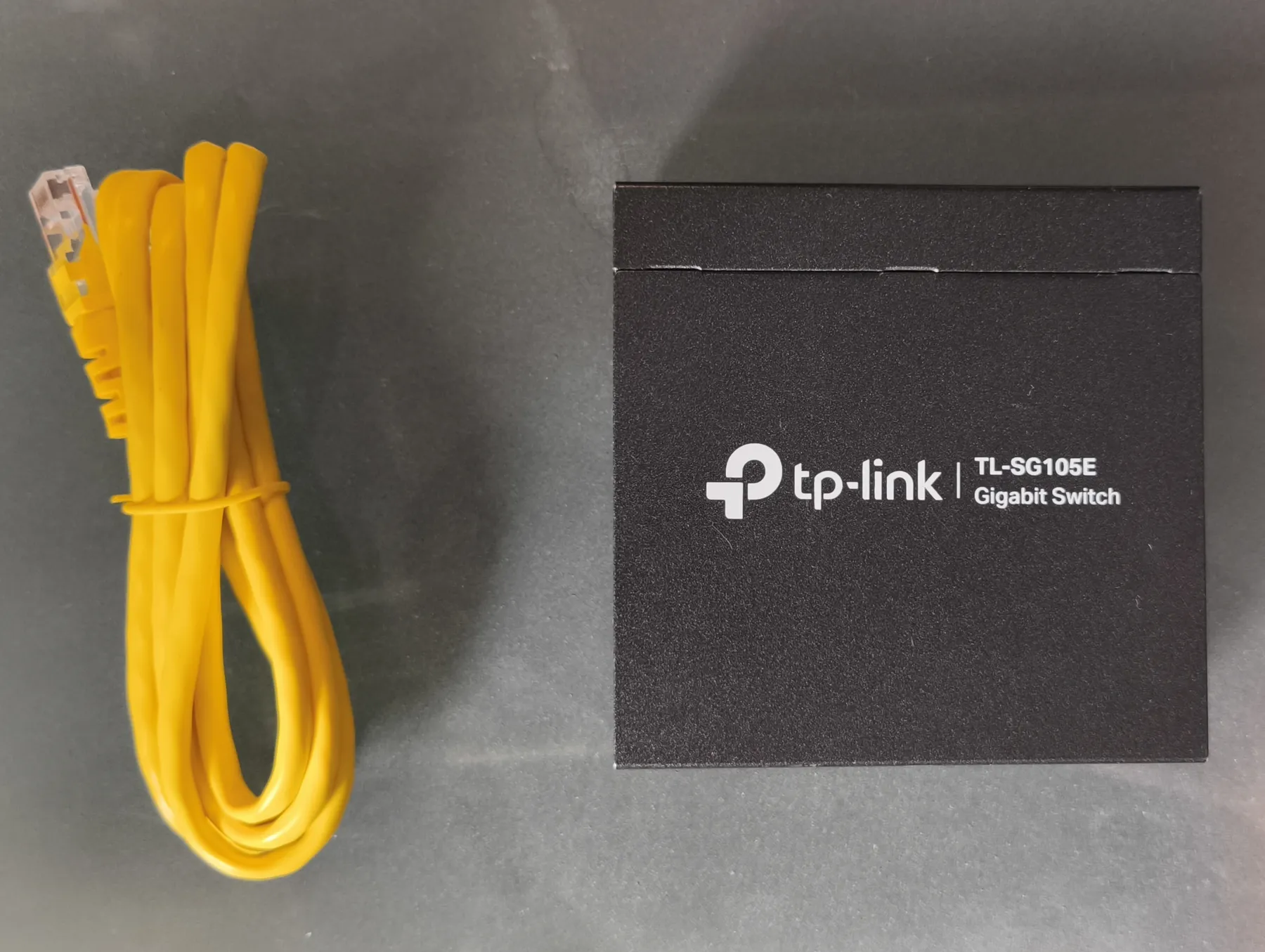
The network includes a home router, a TP-Link TL-SG105E managed switch, a Cisco WAP561 wireless access point, a Windows PC, and a Raspberry Pi 5 running Linux.
The router connects to the switch, which links the PC, access point, and Raspberry Pi. Besides its normal network connection, the Raspberry Pi receives mirrored PC traffic. Private addresses and identifiers are omitted.
The diagram loads when this section comes into view.
flowchart TD R["Router"] --- S["Managed switch"] S --- P["Windows PC"] S --- A["Wi-Fi access point"] S --- L["Raspberry Pi and services"] P -. "Mirrored traffic" .-> LThe dashed line illustrates mirrored traffic, not a separate physical cable between the PC and Raspberry Pi. Configured Wi-Fi networks are not presented as isolated segments: VLAN implementation was deferred.
Interactive map · simplified topology
Explore my lab
Select a device to see its role and how it connects. This is an architecture diagram, not a live dashboard.
Network gateway
Router
The ISP router connects the home network to the Internet and links to the managed switch.
- Starting point for local connections.
- The diagram omits private addresses and configuration.
Connections and mirrored traffic
Switch
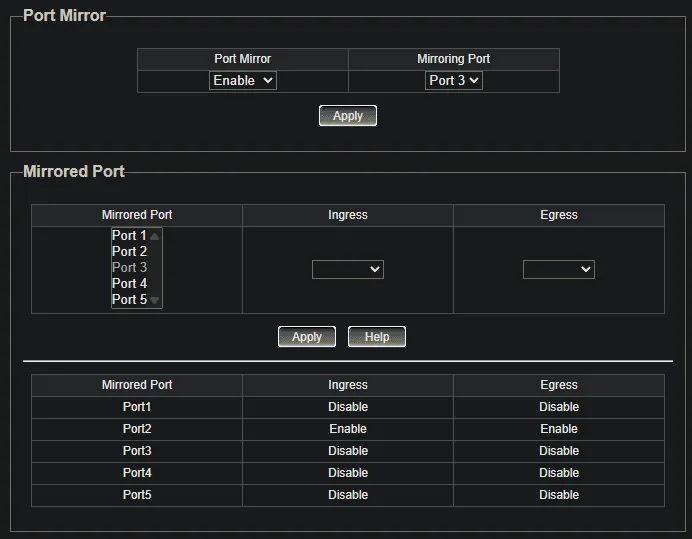
Connects the PC, access point, and Raspberry Pi. It also mirrors the PC's traffic to the sensor for analysis.
- Bidirectional PC traffic mirroring to the Raspberry Pi.
- This network is not presented as VLAN-segmented.
Endpoint and virtualization host
PC Windows
The Windows PC generates security events and hosts the virtual machine running Wazuh.
- Wazuh agent and Sysmon collect endpoint events.
- VirtualBox hosts the Wazuh VM.
Wireless connectivity
Access point
The access point provides Wi-Fi connectivity for home devices.
- Main wireless network and an IoT SSID.
- Separate SSIDs do not imply VLAN isolation.
Linux sensor and self-hosted services
Raspberry Pi
The Raspberry Pi 5 receives mirrored PC traffic and hosts the Linux tools and services I manage.
- Suricata and the Wazuh agent detect and forward events.
- Pi-hole, Tailscale, Nextcloud, and Home Assistant provide infrastructure services.
Alert analysis and investigation
Wazuh server
The virtual machine runs Wazuh's server components and receives events from Windows and Linux agents.
- Manager, Indexer, and Dashboard in VirtualBox.
- Server availability depends on the host PC being powered on.
Networking, DNS, and remote access
- Traffic visibility. I configured bidirectional PC port mirroring to the sensor and checked that the copied traffic arrived in a packet capture.
- DNS filtering. I installed Pi-hole and tested queries from Windows across the local network and through Tailscale. DNS filtering complements other controls; it does not replace a firewall.
- Private access. I use Tailscale for SSH access to the Raspberry Pi and remote desktop access to the PC, without opening inbound router ports for those connections.
- Linux administration. I configured key-based SSH and disabled root login and password authentication on the Raspberry Pi.
One documented issue was Tailscale’s “DNS unavailable” notification on Android. Its cause was not confirmed, and successful Windows resolution does not establish that the Android issue was fixed.
Services and storage
Nextcloud runs in containers with PostgreSQL and Redis, with private HTTPS access through Tailscale Serve. I put the application and database on the SSD and user data on the HDD; the disks are mounted by UUID to avoid depending on USB device enumeration order.
The Raspberry Pi’s services can remain available when the PC is shut down. By contrast, the virtualized Wazuh server depends on that PC. This matters when diagnosing outages: not every service shares the same dependency.
Backups and recovery checks
I configured automatic backups of Pi-hole configuration and databases, including retention and SHA-256 integrity checks. For Nextcloud, the documentation covers Restic snapshots and a duplicate in a second local repository on the HDD.
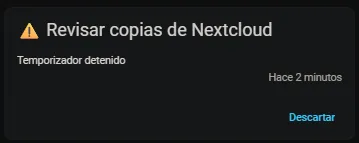
I recovered individual files and verified that one restored file matched its original SHA-256 hash. I also simulated a backup-monitor failure and recovery and checked the corresponding Home Assistant notification.
These checks validate the specific scenarios tested. A full Nextcloud and PostgreSQL restore remains to be tested, and two drives attached to the same computer do not constitute an off-site backup.
Visual evidence
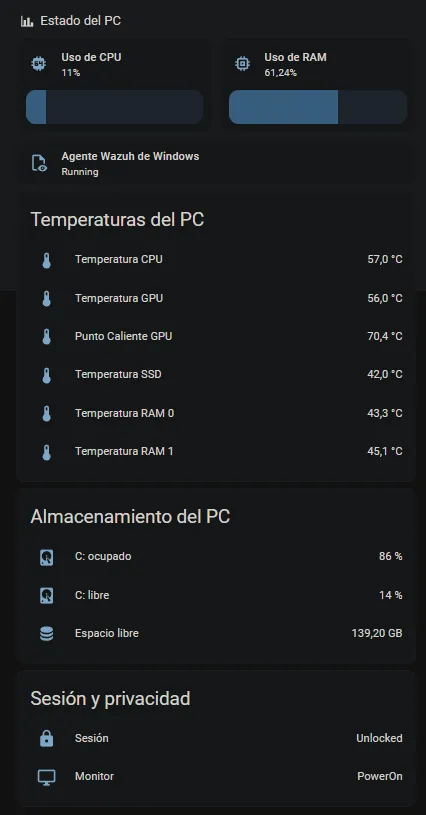
The selection shows the network hardware, mirroring configuration, a historical monitoring dashboard, and a backup-monitor test notification. The readings are point-in-time observations, and the notification is not evidence of a full Nextcloud restoration.
Select an image to enlarge it. Use the arrow keys to navigate and Esc to close.
What I learned
The project helped me connect DNS, connectivity, and availability problems with their underlying dependencies. It also reinforced a useful habit in IT support: document what changed, how I checked the result, and what still needs verification.
This case study is based on lab documentation through October 25, 2026. It does not expose addresses, original configurations, or service access. Four reviewed screenshots are included; a complete Nextcloud recovery test is still pending.